Java StringBuilder toString() method returns the string representation of the character sequence. As we learned in previous tutorial StringBuilder in Java that a StringBuilder instance represents a character sequence. The toString() method converts this sequence into a String.
Syntax of toString() method:
String str = sb.toString(); //converts sb to a String str
Here, sb is an object of StringBuilder class
toString() Description
public string toString(): Returns a String representation of the StringBuilder sequence.
toString() Parameters
- It does not take any parameter.
toString() Return Value
- It returns a string that is equivalent to the char sequence represented by StringBuilder object.
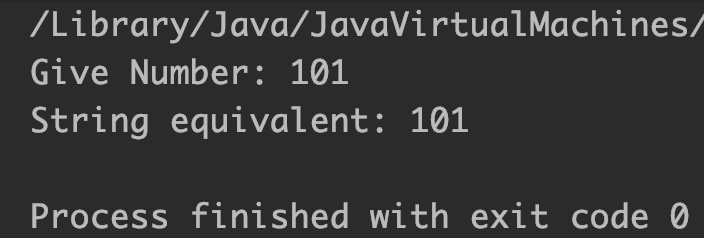
Example 1: Converting int to String using toString()
public class JavaExample {
  public static void main(String[] args) {
    StringBuilder sb = new StringBuilder();
    int num  =101; //int value
    sb.append(num); //append integer to sb
    System.out.println("Give Number: "+num);
    String str = sb.toString(); //convert sb to string
    System.out.println("String equivalent: "+str);
  }
}
Output:
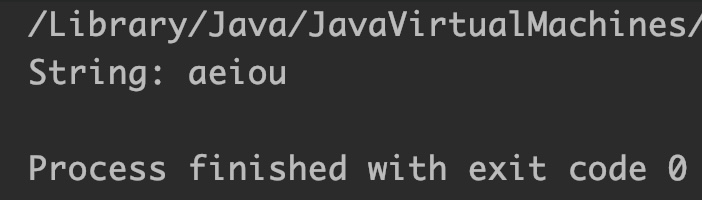
Example 2: Converting char Array to String using toString()
public class JavaExample {
  public static void main(String[] args) {
    StringBuilder sb = new StringBuilder();

    //char array
    char[] ch = {'a','e','i','o','u'};
    //append array to StringBuilder
    sb.append(ch);

    //convert StringBuilder to String
    String str = sb.toString();
    System.out.println("String: "+str);
  }
}
Output:
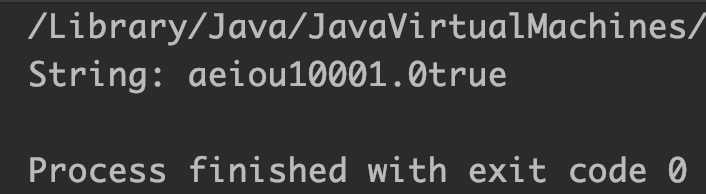
Example 3: Concatenating multiple data types and converting to String
public class JavaExample {
  public static void main(String[] args) {
    StringBuilder sb = new StringBuilder();
    char[] ch = {'a','e','i','o','u'};//char array
    double num = 10001;//double
    boolean b = true;//boolean
    sb.append(ch);
    sb.append(num);
    sb.append(b);

    //convert StringBuilder to String
    String str = sb.toString();
    System.out.println("String: "+str);
  }
}