Java StringBuilder trimToSize() method is used to reduce the capacity of StringBuilder instance, if possible. This method checks for non-utilized allocated space, it frees up the storage to optimize the buffer size. This method belongs to the StringBuilder class in Java.
The syntax of trimToSize() method is:
sb.trimToSize() //free up non-utilized buffer
Here, sb is an object of StringBuilder class.
trimToSize() Description
public void trimToSize(): It optimizes the buffer memory by reducing the space that is currently allocated to the current StringBuilder instance.
trimToSize() Parameters
- It does not take any parameter.
trimToSize() Return Value
- The return type of this method is void as it does not return anything.
Example of trimToSize() Method
public class JavaExample {
  public static void main(String[] args) {
    StringBuilder sb = new StringBuilder();
    System.out.println("Default Capacity: "+sb.capacity());

    //append string
    sb.append("BeginnersBook");
    System.out.println("String appended: "+sb);

    //cleanup buffer
    sb.trimToSize();
    System.out.println("Capacity after trim: "+sb.capacity());
  }
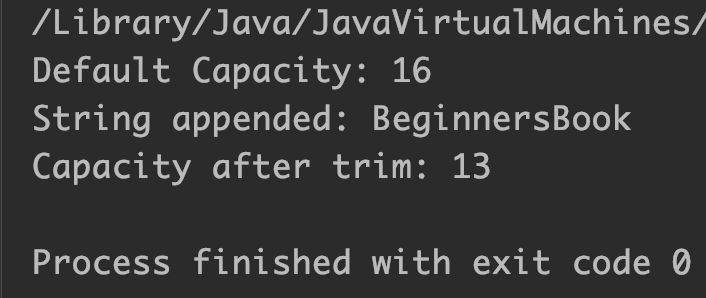
}
Output:
Example 2 of trimToSize() Method
public class JavaExample {
  public static void main(String[] args) {
    StringBuilder sb = new StringBuilder();
    System.out.println("Default Capacity: "+sb.capacity());

    //If current capacity is less than 17 then it will increase
    //old capacity = (new capacity * 2) +2
    sb.ensureCapacity(17); //new = 16*2 +2 =34
    System.out.println("Capacity after ensureCapacity: "+sb.capacity());

    //append string
    sb.append("Welcome");
    System.out.println("String appended: "+sb);

    //cleanup buffer
    sb.trimToSize();
    System.out.println("Capacity after trim: "+sb.capacity());
  }
}
Output:
